The Tool Desk
Outbyte Driver Updater FREEFix the driver behind crashes, sound loss and screen glitchesFind Drivers →Outbyte PC Repair FREEClear out junk files and repair common Windows errorsFree Scan →Samsung Mobile is reader-supported. When you buy through links on our site, we may earn an affiliate commission. As an Amazon Associate I earn from qualifying purchases. Learn more
For Galaxy users looking for a free AI singing voice generator, the best starting point depends on whether you need a voice to sing new lyrics or want to convert an existing vocal. LyricToMelody AI makes sung drafts from lyrics or MIDI; free voice-conversion choices include Applio, Kits AI, On4t AI Voice Cover, and open-source desktop tools. A free listing does not guarantee that a tool runs on Android, so check its site for Galaxy compatibility before uploading audio.
Free AI Singing Voice Generators At A Glance
| Tool | Free Access | Best Fit | Galaxy Access Established |
|---|---|---|---|
| LyricToMelody AI | Free Starter plan; 20 credits to start | Turning lyrics or MIDI into sung vocal drafts | Web application; Android compatibility not stated |
| Applio | Free and open source | Voice conversion and custom model workflows | Runs on Windows, macOS, Linux, Colab, and Kaggle; Android app not stated |
| Kits AI | Free plan; 15 conversion minutes monthly and no download minutes | Trying vocal conversion and voice tools | Web access; Android compatibility not stated |
| SightSinger | Free plan; 8 credits reset monthly | Turning MusicXML scores into singing audio | Not stated |
| Uberduck | Free access offered; limits not stated | Generating singing or rapping from text | Not stated |
| DDSP-SVC | Open-source project | Converting singing voices on a personal computer | Personal-computer software; Android support not stated |
| On4t AI Voice Cover | Free version | Browser-based voice-cover experiments | Web tool; Android compatibility not stated |
| TopMediai AI Song Cover | Free AI song-cover generator; limits not stated | Making covers with voice models | Not stated |
| UtaiSynthesizer | Free and open source | Local Windows voice-conversion and synthesis workflows | Windows only |
Ranked Free AI Singing Voice Generators
1. LyricToMelody AI For New Sung Drafts
LyricToMelody AI is the clearest pick here when you have lyrics or MIDI and want to hear a vocal draft. It generates melodies and sung vocal drafts from either input, and its free Starter plan begins with 20 credits and requires no card. The vendor says you can preview a melody with an AI singing voice. Starter projects are retained for 7 days.
As an Amazon Associate I earn from qualifying purchases.
Do these 3 things before closing this tab:
1Clear out junk files and repair common Windows errors2Scan for outdated or missing drivers - takes under a minute3Repair Windows errors before they cause bigger problemsOn a Galaxy phone, the web application avoids a desktop-app requirement, but Android browser support is not established in the available product details. A practical starting point is to prepare a short lyric passage or MIDI melody, then use the generated vocal preview to judge whether the melody suits the words. Check the vendor’s site for current credit use and whether your intended language or style is supported.
2. Applio For Free Voice Conversion
Applio is an open-source voice-conversion suite for AI covers, custom voice-model training, and real-time conversion. It is available for free, with Windows, macOS, Linux, Colab, and Kaggle options. The product supports uploaded-audio conversion as well as real-time workflows, but it depends on voice models and may suit technical users better than someone who wants a one-tap phone workflow.
Shopping ad
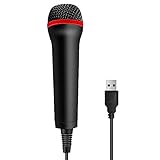
- 💙 Professional Customization: Professional Customization: 4M USB wired microphone for use with for PC/PS2/PS3/PS4/PS4 Pro/Wii/Wii U/SWITCH/XBOX360/XBOX ONE/XBOX ONE X/XBOX ONE S/XBOX Series S/X.
- 💙 Accurate Voice Reproduction: With upgraded frequency response accurately reproduces the sound of your voice. it is the perfect design for all music games, rock band, guitar hero and karaoke games.
- 💙User Friendly: Light enough to not be a burden; Easy to use, just plug and play, NO drivers is needed; With13ft lengthy cord gives you plenty of space to move around and interact with your family or friends enthusiastically.
- 💙 Detects Loud and Quiet Voice: From shouts to whispers, the mic's wide dynamic range ensure your voice is heard with utmost clarity while singing your music games. You will be lost yourself in the wonderful singing.
- 💙 Backed By Real Support: We offer 12-month warranty and 24-hours online service. Plus, any quality issues, please contact us fristly for free replacement or refund, no questions asked policy which makes this purchase a no-brainer. The friendly team at our TPFOON headquarters is here for whatever you need
Use a vocal recording as the source, then convert it with a model you are authorized to use. Applio’s site says the software may be used, modified, and redistributed for personal projects, research, or commercial work; that does not establish rights to a particular voice model or recording. Check the terms for each model and obtain consent for a real person’s voice.
3. Kits AI For Trying Vocal Conversion
Kits AI combines voice conversion with cloning, blending, vocal separation, and mastering. Its Free plan includes 15 conversion minutes per month, one voice slot, and zero download minutes, so the free tier is useful for exploring the workflow but does not include downloads. Kits AI is available on the web, which may be more convenient to open on a Galaxy phone than a desktop-only program; Android compatibility is not specified.
Free tools Windows power users keep installed
One-click scans. No signup required.
Start with a vocal recording you have permission to use and check which features are included before building a project around them. The vendor describes its offering as royalty-free, while also noting that artist-model outputs may need approval for commercial release. Follow the applicable voice and release terms, and get consent before cloning or imitating an identifiable person.
4. SightSinger For Score-Based Singing
SightSinger converts MusicXML scores into AI singing audio and can split SATB parts with verse and part selection. That makes it a more focused choice for a choir part or written arrangement than for converting a casual phone recording. Its Free plan resets 8 credits monthly, described as about 4 minutes of audio or about one full song per month. The service’s Android availability is not stated.
Shopping ad

- [USB Output] Enables simple setup. USB studio recording microphone kit provides a direct convenient plug-and-play connection to pc and laptop without any additional hardware or drivers for recording vocals, podcasts and Skype. Studio microphone for recording vocals is never been easier to get high-quality sound for your voice and computer-based audio recordings. (Incompatible with Xbox)
- [Excellent Sound Quality] With rugged construction for durable performance, the vocal recording microphone, USB condenser mic for PC,offers a wide frequency response and handles high SPLs with ease. Ideal for project/home-studio applications. The cardioid condenser capsule captures crystal-clear audio from the front and avoid ambient noise when communicating/creating/recording. Comes ready to go with a desktop mic boom arm stand and 8.2ft USB cable, you're guaranteed to get great-sounding results.
- [Durable Arm Set] The podcast microphone bundle with versatile and sturdy broadcast suspension boom scissor arm with 180° up and down rotation, 135° forward and backward extension for optimal adjustment, for capturing your voice in podcast or voiceover. The double pop filter attached on the music recording microphone provides two layers of dissipation, removes the rush of air, minimize the popping sounds or cancel noise that can compromise your recording, great for studio as well as home use.
- [Easy to Attach] The streaming microphone for PC includes adjustable boom studio scissor arm stand that features a heavy-duty combo mount consisting of a sturdy C-clamp and a detachable desktop mount. With 13" fixed horizontal arm and offers a 30" reach, the low-profile, table-hugging design of audio recording microphone allows on-air talent to perform without facial obstruction to record in podcasting or make dubbing sounds for videos, use voice chat in Discord or online conference on Zoom or Skype.
- [The Accessory Package Includes] The studio microphone music recording comes with practical accessories for you to use in most of recording. The scissor arm stand is made out of all steel construction, sturdy and durable, a studio-grade shock mount, a double pop filter, premium 8.2' USB-B to USB-A/C cable, a podcast PC gaming microphone, a user manual and friendly Technical Support.
For a concrete workflow, bring a MusicXML score for the part you want to hear, choose the relevant verse and part, and use the resulting audio to check how the line sounds. SightSinger supports multiple languages, but check the selected voice’s terms: the vendor says commercial, royalty-free use is allowed where permitted by those terms.
5. Uberduck For Text-to-Singing Experiments
Uberduck offers speech, singing, and rapping generation from text and invites users to get started for free. The available details do not state free-tier limits or establish an Android-specific workflow, so check the site before relying on it for a longer song or a Galaxy-only setup.
Try a short original lyric as a first experiment and confirm that the selected voice can sing the material in the way you need. Uberduck states that commercial use is available on paid plans. For any voice based on a real person, use it only with appropriate consent and follow the platform’s terms.
6. On4t AI Voice Cover For Browser Experiments
On4t AI Voice Cover is a free web-based conversion tool for experimenting with covers. Its listed controls include voice previews and language, emotion, and pitch options; it accepts uploaded audio and YouTube URLs. The vendor describes a free version with additional features available at a premium, but does not state the free-tier limits. Since it runs on the web, you can check it in a Galaxy browser; Android compatibility beyond web access is not established.
Shopping ad

- Studio-Quality Sound for Clear Podcast Recording – The K66 USB podcast microphone delivers studio-quality, broadcast-level audio using a high-performance condenser capsule and cardioid pickup pattern that focuses on your voice while reducing unwanted background noise. Designed as a reliable microphone for PC, it features a wide 40Hz–18kHz frequency response and a 46kHz sampling rate to reproduce rich lows, smooth mids, and clear highs for natural, detailed vocals. With –45dB ±3dB sensitivity, it captures balanced sound without distortion during expressive speaking. Ideal for podcasting, voice-over, online classes, meetings, and professional content creation.
- Intelligent Noise Reduction Mode for Cleaner Podcast Audio – This podcast microphone features an advanced Noise Reduction Mode designed for clearer, more focused voice recording in real-world environments. Press and hold the mute button to enable noise reduction (blue indicator). In this mode, the microphone helps reduce keyboard clicks, PC fan noise, air conditioner hum, and background chatter. Default Mode maintains a warm, natural vocal tone for quiet spaces. Designed as a reliable microphone for PC, it allows creators to identify the active mode instantly and adapt as needed, ensuring clear audio for podcasting, gaming, streaming, online classes, meetings, and recording.
- True Plug-and-Play USB Microphone with Wide Device Compatibility – Engineered for effortless plug-and-play use, the K66 USB microphone requires no drivers, apps, or software installation. Simply connect and start recording on Windows PC, Mac, laptops, PS4, PS5, and tablets. Included USB-C and Lightning adapters ensure seamless compatibility with iPhone, iPad, and modern USB-C phones and devices, making it easy to switch between desktop and mobile recording. Ideal for creators working across multiple platforms, this microphone delivers consistent, high-quality audio for YouTube, TikTok, Twitch, Zoom, Discord, OBS Studio, Streamlabs, podcasting, livestreaming, and professional voice recording.
- Real-Time Zero-Latency Monitoring with Adjustable Volume Control – This podcast microphone features real-time, zero-latency monitoring through a built-in 3.5mm headphone jack, allowing you to hear exactly what’s being recorded without delay. Designed as a reliable microphone for PC, it includes a dedicated monitoring volume control that lets you adjust headphone listening levels independently for accurate and comfortable audio monitoring. Real-time feedback helps identify distortion, background noise, or uneven volume before it affects your final recording, making this podcast microphone ideal for podcasting, streaming, online teaching, voice-over work, and professional content creation.
- Precision Audio Adjustment Knobs for Full Sound Control – This podcast microphone gives creators hands-on control with dedicated knobs for microphone volume, monitoring volume, and echo adjustment. Fine-tune mic gain to maintain clear, balanced vocal output, adjust headphone monitoring levels independently for comfortable listening, and add or reduce echo to enhance depth and presence. Designed as a reliable PC microphone, these intuitive physical controls allow fast, on-the-fly adjustments without software, helping identify distortion, background noise, or level inconsistencies instantly. Ideal for podcasting, streaming, ASMR, voice-overs, singing, and professional multi-platform recording.
Use a short source clip you have permission to process, then preview a voice and adjust the listed controls. On4t’s description does not establish which voices are authorized for every use, so check its terms and secure consent for any identifiable person’s voice.
7. TopMediai AI Song Cover For Custom Voice Models
TopMediai AI Song Cover is described as a free AI song-cover generator and supports generating covers with custom voice models. Its custom-training workflow takes raw recordings; supported uploads include MP3, WAV, and M4A files, as well as YouTube links. Free limits and Android support are not stated, so confirm both on the vendor’s site before choosing it for phone use.
For a cover experiment, use a recording you are entitled to use and follow the site’s steps to train a model from your own authorized recordings. Get consent before training on someone else’s voice, and check the platform terms for how the resulting model and cover may be used.
8. DDSP-SVC For Open-Source Singing Conversion
DDSP-SVC is an open-source singing voice-conversion project intended for personal computers. Its project description says its training and synthesis have lower hardware requirements than SO-VITS-SVC and training can be faster than that comparison suggests; it does not establish a Galaxy Android workflow. Expect a more hands-on setup than a browser tool.
Shopping ad

- Pro Sound Chipset 192kHz/24Bit: This Condenser Microphone has been designed with professional sound chipset, which allows the USB microphone to hold high resolution sampling rate. Smooth, flat frequency response, Extended frequency response is excellent for studio, speech and voice-over. Performed well in reproducing sound, high quality mic ensures your exquisite sound reproduces on the internet
- Plug and Play: microphone has USB data port, which is easy to connect with your computer, and no need extra driver software or external sound card. Simply plug the USB cable into your laptop to start using mic immediately, offering seamless integration with various operating systems. That makes it easy to sound good on podcasting, live-streaming, video call, recording (Note: Not compatible with XBOX)
- 16mm Condenser Mic: With the 16mm electret condenser transducer, the USB microphone can give you a strong bass response. This professional condenser microphone picks up crystal clear audio. The magnet ring, on the USB microphone cable, has a strong anti-interference function, which gives you a better feel (Best Range: 2"-6")
- ALL-in-one Set: With pop filter and foam windscreen, the condenser mic records your voice, and the sound is crystal clear. The shock mount holds the microphone steady with damping function. Suitable for voiceover, podcast, YouTube, Skype conference (The desk clamp is suitable for desktop with a thickness of less than 2.1 inch.)
- Compatible with MOST OS: For most laptops, PC, PS4, PS5, and mobile phones, easy to connect, plug and play. It can also be used with Discord, Twitch, Zoom, etc, but please note that the AU-A04 microphone isn't used with Maono Link. If you need Maono Link, recommend using the upgraded A04 Gen2 mic
Its maintainers explicitly ask users to train models only with legally obtained, authorized data. That means checking permission for the training audio and the voice it represents before starting.
9. UtaiSynthesizer For A Free Local Windows Workflow
UtaiSynthesizer is a free, open-source Windows workstation combining separation, voice conversion, synthesis, model training, and multitrack editing. It can export WAV, FLAC, MP3, OGG, OPUS, and M4A, but it is Windows-only, so it is not a Galaxy-phone generator. Its workflow also involves managing models and local processing.
What’s actually slowing this PC down?
Pick the symptom - the matching free tool is one click away.
Use it when you have access to a Windows computer and want a local workflow; the vendor describes RVC and SoVITS backends, voice blending, and a singing DAW. Commercial use is restricted across some model weights, so review the terms attached to the specific models and use recordings and voices with permission.
Independent reader supportYour contribution helps us test, update, and keep practical guides available for everyone.Choose By The Singing Job
- Write lyrics or have a MIDI melody: Start with LyricToMelody AI for a sung draft.
- Have a recorded vocal to convert: Compare Applio, Kits AI, and On4t AI Voice Cover, bearing in mind their different setup and download limits.
- Have a written choir score: SightSinger is the score-to-audio option in this list.
- Want a local computer workflow: Applio, DDSP-SVC, and UtaiSynthesizer are the open-source choices; UtaiSynthesizer is specifically Windows-only.
Before uploading or training, check the product’s current terms, the chosen voice or model’s terms, and whether your Galaxy browser or computer supports the workflow. Use original or authorized recordings, get consent for identifiable voices, and confirm commercial-use conditions with the relevant platform.
Quick Recap
Product prices and availability are accurate as of the date/time indicated and are subject to change. Any price and availability information displayed on Amazon at the time of purchase will apply.




