Samsung Mobile is reader-supported. When you buy through links on our site, we may earn an affiliate commission. As an Amazon Associate I earn from qualifying purchases. Learn more
For making a complete song on a Samsung Galaxy phone, Suno is the strongest all-around pick in this roundup: it generates songs with vocals, lyrics and instrumentation, supports editing and stem export, and has an Android app. Mureka is a good alternative for a more studio-oriented workflow; SongIntent, LandChords and the lyric-focused tools help shape a song before or alongside music generation. Which fits best depends on whether you need a finished track, control over a draft, or help writing lyrics and chords.
Compare The Best AI Music Tools For Galaxy Users
| Tool | Best Fit | Galaxy Access Established Here | Starting Price Listed |
|---|---|---|---|
| Suno | Complete songs and editing | Android app and web | Free; paid from $8/mo |
| Mureka | Generating and editing complete tracks | Web; Android app availability not stated | Free; paid from $8/mo billed annually |
| SongIntent | Developing lyrics, cadence and song structure | Web only | Free; paid from $8/mo |
| AI Makes Song | Text-to-song and lyric-to-song generation | Not stated | Not stated |
| AI Game Music Generator | Prompting music for games | Not stated | Not stated |
| LandChords | Writing songs with lyrics and chords | Mobile web; nothing to install | Free; paid from $7.99/mo |
| Prompt Maschine | Preparing lyrics and music prompts | Android app and web availability not stated | Free; paid from $9.99/mo |
| RhymeFlux | Rhyme, rhythm and lyric drafting | Android app and web | Free; paid from $99/yr |
Best AI Tools For Making Music
1. Suno: Best Overall For Complete Songs
Suno turns an idea into a song with vocals, lyrics, instrumentation and production, then gives creators editing, remixing, extensions, section replacement and stem export tools. Its Android app makes it the clearest choice here for a Galaxy-first workflow; the browser-based DAW is described as a place to arrange, edit and mix a song. Suno Studio is limited to Premier, and the Free Plan does not include commercial rights or stem separation. The listed starting price is $8 per month; check Suno’s site for current plan details and terms. If a track uses a voice or material you do not have permission to use, check consent and Suno’s terms before creating or sharing it.
As an Amazon Associate I earn from qualifying purchases.
2. Mureka: Best For AI-Assisted Studio Workflows
Mureka generates complete tracks from text, lyrics, styles or reference audio, with remixing, extensions, vocal generation, voice cloning, multitrack editing, stem separation and audio/MIDI export. Its prompt controls include genre, mood, tempo and instrumentation, and the verified product details describe track length and stem management. Mureka Studio and up to 12-stem splitting are reserved for Premier. The listed $8-per-month starting price is billed annually at $96. Android app availability is not established in the information here, so a Galaxy user should check the vendor’s site for access details. For voice cloning or reference audio, use only material and voices you have permission to use, and check Mureka’s terms.
3. SongIntent: Best For Shaping A Song Before Rendering
SongIntent is a songwriting workspace for turning an idea, lyric, flow, beat or melody into a song proposal and revising the result. Its workflow includes cadence capture from a performed sketch, editable lyric options with timing and stress landmarks, and phrase-level revision. The free plan allows one render per month, five AI assists per month and one active project; paid plans start at $8 per month. It is web-only, so use it in your Galaxy browser rather than expecting a native app. This is the pick for developing the writing and rhythmic shape of a track, not a mobile music-production app.
Shopping ad

- 【Model Compatibility】Designed ONLY for Samsung Galaxy Tab A9 Plus 11 inch (Model: SM-X210 /SM-X215 /SM-X216B) , Tab A11 Plus 11 inch(SM-X230, SM-X236B,SM-X315) , Not compatible with other models. You can check the model number before purchasing to make sure you get the correct size tablet keyboard case.
- 【Magnetically Detachable Keyboard】case for Samsung Galaxy Tab A9 Plus 11 inch comes with a detachable magnetic keyboard. The ultra-thin and lightweight magnetic keyboard can be firmly attached to the case, which helps the tablet stand upright and turn it into a mini laptop in less than a second. You can move and change the keyboard position at any time according to your usual preferences.
- 【Adjustable Viewing Angles and Support for Pen】case supports 3 viewing angles and has anti-slip slots. Move the tablet forward or backward along the case to choose a suitable angle to use the tablet for writing, viewing, reading, drawing, etc. Built-in Pen holder makes it easy to carry the Pen with your device. (NOTE: Pen not included!).
- 【Auto Sleep/Wake Function】The protective case has an automatic sleep/wake function to protect and save the battery life of your tablet. When the lid is opened, the tablet wakes up; when the lid is closed, the tablet goes to sleep. (NOTE: Tablet not included!).
- 【Premium Protection】keyboard case for Samsung Galaxy Tab A9 Plus / A9+ 11 inch has full edge coverage and provides full 360° protection against scratches, bumps or dents, protecting your tablet from all kinds of dropping accidents. The inner layer provides cushioning with Honeycomb grid pattern, protects your tablet from overheating and increases its lifespan by more than 30%.
4. AI Makes Song: Best For Turning Text Or Lyrics Into A Song
AI Makes Song supports text-to-song and lyrics-to-song generation, plus vocal removal, AI covers and prompt browsing. Its stated options include male, female or instrumental voice and styles such as pop, rock, rap and classical. The service says free users can test and publish with attribution, while paid plans unlock commercial rights for videos, podcasts and games; check its site for current pricing and plan terms. The available information does not establish an Android app or a particular Samsung workflow. For AI covers or voice use, check consent and the platform’s terms before creating or sharing work.
5. AI Game Music Generator: Best For Prompting Game Music
AI Game Music Generator is purpose-built for game music: it turns a prompt into music and describes a range from orchestral pieces to retro chiptunes. It offers MP3 or WAV downloads and describes a commercial license, but its terms also say songs cannot be kept private and are owned by the service. The stated signup allowance is 60 credits for five tracks; paid plan amounts listed are 30 tracks per month for 360 credits and 75 tracks per month for 900 credits. Prices and Android availability are not stated here. Check the vendor’s terms and confirm that its ownership and privacy conditions fit your project before using a track.
The Tool Desk
Outbyte PC Repair FREERepair Windows errors before they cause bigger problemsFix Now →Outbyte Driver Updater FREEFix the driver behind crashes, sound loss and screen glitchesFind Drivers →Shopping ad
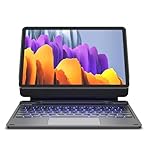
- !!!IMPORTANT: DO NOT update your tablet software to One UI 8.5 manually. Please turn off auto-update: Settings → Software update → (tap the ⋮(three dots) at the top right) → Auto download over WLAN → OFF. One UI 8.5 currently has a widely reported compatibility issue with our keyboard cases. After updating, the trackpad may stop working.
- 【ENHANCED COMPATIBILITY】 Exclusively designed for 2025 Samsung Galaxy Tab S10 Lite 10.9 inch/ Tab S10 FE 10.9 inch/ 2023 Samsung Galaxy Tab S9 11 inches / S9 FE 5G 10.9 inches. Compatible for Galaxy Tab S10 Lite (Wi-Fi SM-X400/ 5G SM-X406B)/ Galaxy Tab S10 FE (SM-X520, SM-X526, SM-X526B) / Galaxy Tab S9 (Wi-Fi SM-X710/SM- 5G X716B/SM-X718U) and Galaxy Tab S9 FE(Wi-Fi SM-X510/ 5G SM-X516B/SM-X518U). Note: It DOES NOT fit the Tab S10 FE+/ S9+/ S9 FE+ 12.4 inches. Please confirm your tablet model before purchase! (Tablet and S Pen not included.)
- 【EASY-SET MAGNETIC STAND】 A Sturdy aluminum alloy hinge with embedded magnets transforms your tablet into a laptop instantly, offering seamless adjustments for perfect viewing angles. Perfect for travel, business and work.
- 【HIGH-PRECISION MULTI-TOUCH TRACKPAD】 Navigate with ease using the smart trackpad supporting multi-finger gestures. Enjoy mouse-like controls for efficient document editing, web browsing, and presentation building.
- 【S PEN HOLDERS】Keep your S Pen secure with two holders – a built-in magnetic holder in the keyboard for storage and a cut-out slot on the back cover for both charging and storage. Enjoy the convenience of quick access while preventing loss. The case folds into a slim folio for solid front and back protection.
6. LandChords: Best For Lyrics, Chords And Melody In One Workspace
LandChords combines AI lyric tools with chord anchoring, melody playback, recording and drum creation. That makes it useful when the goal is to build a song from its musical parts rather than generate a finished track from one prompt. The free plan includes two songs and up to seven sections; WAV and MIDI export require Pro. The listed starting price is $7.99 per month. LandChords works on desktop and mobile web, so it can be opened in a Galaxy browser without installing an app. Check the vendor’s site for current plan limits and export details.
7. Prompt Maschine: Best For Building Lyrics And Music Prompts
Prompt Maschine helps turn a song idea into lyric drafts and a music-style prompt for Suno, Udio or Kaiber. Its prompt guidance covers genre, mood, instrumentation, tempo, groove, era influence and production notes; it also offers rhyme systems and configurable song structures. The free tier allows three generations per day, and the listed paid starting price is $9.99 per month. It is available on Android according to the vendor, making it relevant to Galaxy users preparing a prompt or lyrics on a phone. It focuses on lyrics and prompts rather than full music production, so pair it with a music generator if you need an audio track. Check the vendor’s site for current plan details.
Shopping ad

- Designed to fit your tablet: Galaxy Tab S11 Ultra Pro Keyboard provides a smooth typing and trackpad experience in its slim, portable design and aluminum body that fits your tablet perfectly.1
- Simple to attach. No extra steps: Simply align Pogo Pin on Pro Keyboard with Pogo Pin on the back of your tablet, then use the keyboard immediately. No need for extra steps like pairing through Bluetooth. This convenience lets you enjoy utmost efficiency. 2
- Larger, expanded trackpad: The trackpad is enlarged by 14.6% from the previous model, yielding smooth experience and improved productivity. It supports simple gestures like scrolling, zooming in and more for easy operation.3
- Laptop-like experience: Even while closed, Pro Keyboard stays connected to your Galaxy Tab. When opened, you can use it directly without any extra action. Open your Pro Keyboard anywhere and anytime to enjoy the convenience of a laptop-like experience. 4
- Official Samsung Accessory for the Galaxy Tab S11 Ultra 2026.
8. RhymeFlux: Best For Tightening Rhyme And Rhythm
RhymeFlux is a lyric workspace with rhyme highlighting, syllable counting, Beat Grid tracking and AI-assisted starter bars, next lines and rewrites. Its account syncs lyrics across iPhone, Android and web. The free plan limits writers to one active song and 15 AI credits every 30 days; the listed paid starting price is $99 per year. RhymeFlux supports US, UK, Australian and Canadian English, and its AI tools focus on co-writing rather than generating full songs from prompts. Use it to refine lyrics and rhythm, then bring the writing into a separate music-making workflow.
Independent reader supportYour contribution helps us test, update, and keep practical guides available for everyone.Choose By The Part Of Music-Making You Need
- Generate and edit a full song on Galaxy: Start with Suno, which has an Android app and supports complete songs and editing.
- Work with stems or MIDI: Compare Mureka’s multitrack and export workflow with Suno’s stem tools, then check which plan includes the specific capability you need.
- Develop lyrics, cadence or chords: Use SongIntent for cadence and line revisions, LandChords for lyrics and chords, Prompt Maschine for prompts, or RhymeFlux for rhyme and rhythm.
- Create music for a game: AI Game Music Generator is the most specifically targeted option here, but its ownership and privacy terms need to suit your project.
For any product whose Galaxy app or browser support is not established above, check the vendor’s site before relying on it from your phone. For commercial use, covers, voice cloning or reference audio, check both consent and the individual platform’s terms; rights differ by tool and plan.
Do these 3 things before closing this tab:
1Scan for outdated or missing drivers - takes under a minute2Clear out junk files and repair common Windows errors3Fix the driver behind crashes, sound loss and screen glitchesQuick Recap
Shopping ad

- ⌨【Models Compatibility】Designed ONLY for Samsung Galaxy Tab S10 Plus / Tab S9 Plus / S9 FE Plus / S8 Plus / S7 FE / S7 Plus 12.4 inch : Tab S10 Plus (Modelo: SM-X820/X826B/X820N/X826N) Tab S9 Plus/S9 FE Plus (Modelo: SM-X810/X816B/X610/X616B) Tab S8 Plus (Modelo: SM-X800/X806/X806B/X806U/X806N) Tab S7 Plus (Modelo: SM-T970/T976B/T975) Tab S7 FE (Modelo: SM-T730/T733/T736B/T735) You can check the model number before purchasing to make sure you get the correct size tablet keyboard case.
- ⌨【Magnetically Detachable Rainbow Backlit Keyboard】Case for Samsung Galaxy Tab S10 Plus / Tab S9 Plus / S9 FE Plus / S8 Plus / S7 FE / S7 Plus 12.4 inch comes with a removable 7-color rainbow magnetic keyboard. The ultra-thin, lightweight magnetic keyboard attaches securely to the case, turning it into a mini laptop in a second.Use the selectable backlight mode to choose your favorite color from 7 iridescent colors for smooth typing in the dark, even when working at night.
- ⌨【Adjustable Viewing Angles and Support for Pen】case supports 3 viewing angles and has anti-slip slots. Move the tablet forward or backward along the case to choose a suitable angle to use the tablet for writing, viewing, reading, drawing, etc. Built-in Pen holder makes it easy to carry the Pen with your device. (NOTE: Pen not included!).
- ⌨【Auto Sleep/Wake Function】The protective case has an automatic sleep/wake function to protect and save the battery life of your tablet. When the lid is opened, the tablet wakes up; when the lid is closed, the tablet goes to sleep. (NOTE: Tablet not included!).
- ⌨【Premium Protection】keyboard case for Samsung Galaxy Tab S10 Plus / Tab S9 Plus / S9 FE Plus / S8 Plus / S7 FE / S7 Plus 12.4 inch has full edge coverage and provides full 360° protection against scratches, bumps or dents, protecting your tablet from all kinds of dropping accidents. The inner layer provides cushioning with Honeycomb grid pattern, protects your tablet from overheating and increases its lifespan by more than 30%
Shopping ad

- TYPE WITH EASE: The Samsung Smart Keyboard offers a natural, laptop-like typing feel with a 19 mm key pitch. Its slim, lightweight design helps make it comfortable to type while its premium, aluminum finish makes it stylish for any workplace.
- SMARTER ACCESS AT YOUR FINGERTIPS: Stay in control with the dedicated AI Short Key, your shortcut to smart assistance.¹ Launch Google Gemini² or Bixby on your Galaxy phone or Tab, or call up Copilot when connected to your Galaxy Book, all with a single press.
- SEAMLESS MULTI-DEVICE PAIRING: Switch between devices in a snap. The Samsung Smart Keyboard lets you pair with up to three devices and switch between them effortlessly — perfect for multitasking and staying productive across your ecosystem.¹
- BATTERY LIFE BUILT TO POWER THROUGH: Go further with a battery that's built to keep up. The coin cell batteries in the Samsung Smart Keyboard provide long-lasting battery life so you can have peace of mind that your keyboard is ready when you are.³
- SHORTCUT KEYS TO YOUR DAILY ESSENTIALS: Speed up your everyday with keyboard shortcuts customized to your Galaxy ecosystem. Assign your most-used Samsung apps to up to three custom keys and access them right when you need them.¹
Product prices and availability are accurate as of the date/time indicated and are subject to change. Any price and availability information displayed on Amazon at the time of purchase will apply.




