Samsung Mobile is reader-supported. When you buy through links on our site, we may earn an affiliate commission. As an Amazon Associate I earn from qualifying purchases. Learn more
For Galaxy users, an AI singer creates sung vocals from lyrics or musical input; an AI vocalist tool may instead change the voice on an existing performance. For a song draft, start with LyricToMelody AI or ACE Studio; for voice replacement in a song, VocalMe is the clearest listed Android option. The tools differ in what they take as input, how much control they offer, and whether they are listed for mobile, web, or desktop use.
AI Vocalist Vs AI Singer: What Changes In The Workflow?
“AI vocalist” and “AI singer” are not consistent product categories. For this comparison, an AI singer means a tool that synthesizes sung vocals from lyrics, MIDI, or a score. A voice conversion or cover tool takes recorded audio and changes its voice. These are different starting points: a melody and lyric draft suits synthesis; a recorded sung performance suits conversion.
As an Amazon Associate I earn from qualifying purchases.
Quick wins for a faster PC:
Clear out junk files and repair common Windows errorsFree Scan →Fix the driver behind crashes, sound loss and screen glitchesFind Drivers →Repair Windows errors before they cause bigger problemsFix Now →On a Galaxy phone, the input matters as much as the output. If you already have a melody, lyrics, or a score, choose a tool whose listed workflow accepts that material. If you have a recording to transform, choose a voice conversion tool. Only VocalMe is explicitly listed for Android; web tools are listed as web applications, but their phone-browser behavior is not specified, so check the vendor’s site before relying on a Galaxy workflow.
AI Singing And Voice Tools Compared
| Tool | Best fit | Listed input or vocal workflow | Listed platform | Price information | Key constraint |
|---|---|---|---|---|---|
| LyricToMelody AI | Building a complete vocal arrangement | Melodies and sung vocal drafts from lyrics or MIDI; custom singing-voice training | Web application | Free plan; paid from $10/mo (annual) | Starter projects are retained for 7 days |
| ACE Studio | MIDI- and lyric-driven singing with cloning and editing | Singing from MIDI and lyrics; custom singing voice cloning; vocal-to-MIDI conversion | Windows, macOS desktop | Paid; no free plan | Paid-plan licensing has voice- and feature-specific exceptions |
| Synthesizer V Studio 2 Pro | Precise editing of synthesized vocals | Detailed pitch, timing, pronunciation, timbre, and expression control; MIDI support | Windows, macOS desktop | Paid; 14-day trial | Does not provide voice cloning |
| Sinsy | Free score-driven vocal synthesis | MusicXML scores; Japanese, English, and Mandarin lyrics | Web, Linux | Free | Requires MusicXML rather than vocal input |
| CeVIO AI | Japanese or English vocal production on Windows | Piano-roll editing; lyrics and MIDI or MusicXML; chorus tracks | Windows desktop | Paid; price not stated | Voice libraries are licensed separately from the editor |
| HATSUNE MIKU NT | Japanese vocal production with Miku libraries | Detailed pitch, vibrato, timing, breathiness, and voice-color controls | Windows, macOS; standalone and plug-ins | From ¥19,800 one-time; 39-day trial | Only a Japanese voice library is included |
| VocalMe | Replacing a song’s voice, including on Android | Voice replacement while preserving the song’s melody and rhythm; custom voice cloning from an audio sample | Android, iOS, macOS | Paid; 7-day trial; app-store pricing varies by country | Focused on songs and covers rather than general voice conversion |
| Applio | Free voice conversion for creators and developers | Real-time and uploaded-audio conversion; custom model training and blending | Windows, macOS, Linux; desktop and self-hosted | Free | Conversion workflows depend on voice models; technical setup may suit experienced users |
| RVC WebUI | Technical users who want local RVC controls | Real-time and offline voice conversion; training, pitch controls, and batch processing | Self-hosted, desktop-focused | Free | Requires local installation and hardware-specific dependencies |
| On4t AI Voice Cover | Trying voice-cover conversion in a browser | Uploaded audio or YouTube URLs; voice, language, emotion, and pitch controls | Web | Free plan | Browser-based workflow; predictable paid capacity is not established |
Which Tools Generate A Sung Vocal From Scratch?
LyricToMelody AI For A Complete Draft
LyricToMelody AI is the closest fit when the starting point is lyrics or MIDI and the goal is a sung draft plus arrangement material. It can train a custom singing voice from uploaded or recorded vocals and export MIDI, audio, and separate stems. Its free Starter plan includes 20 credits and 7-day project retention; the listed paid entry price is $10 per month on annual billing. Commercial rights are included on paid plans, according to the listed product details. It is a web application, not a desktop app.
Shopping ad

- USB-C & USB-A COMPATIBILITY - This lavalier microphone for type c devices is compatible with iPhone 15/16/17 Series, MacBook Pro, Mac mini, Samsung Galaxy S24/23, and other smartphones or tablets with a USB C jack. Comes with a USB-C to USB-A adapter, it also works well with most laptop and desktop PCs, Mac, and other computers.
- CLEAR SOUND QUALITY - Built with a premium sound card (24-bit / 96kHz), this omnidirectional condenser microphone captures your voice with clarity and accuracy, while reducing unwanted background noise — ideal for interviewing, online conferencing, podcasting, vlogging, live streaming.
- PLUG & PLAY LAPEL MIC - This USB C lavalier microphone with USB-A connection is play-and-play, no extra cables or set-up. Just plug it into your device with USB-C or USB-A, it'll start working instantly. Without drivers and battery needed, it is friendly-design and easy to use.
- FLEXIBLE CLIP & 6.6FT CABLE - Featuring a sturdy metal clip, this USB-C lapel microphone can be securely attached to your clothing for optimal placement or discreet use. The 6.6FT / 2M soft silicone cable provides ample length and flexibility for comfortable movement during recording.
- ALL-IN-ONE PACKAGE & SUPPORT- Includes a USB-C microphone with clip and windscreen, cable tie, USB-C to USB-A adapter, and a premium storage pouch. Comes with 1-year protection and 24-hour customer support.
ACE Studio For MIDI And Lyric Singing
ACE Studio generates singing vocals from MIDI and lyrics, and adds custom singing-voice cloning, vocal-to-MIDI conversion, separate-track rendering, stem splitting, and DAW integration. It runs on Windows and macOS, with no free plan listed. Its plan details include yearly billing or rent-to-own access over two years, but a general price is not stated here. Licensing has voice- and feature-specific exceptions, so check the vendor’s terms for the voice and intended use.
Synthesizer V Studio 2 Pro For Detailed Vocal Editing
Synthesizer V Studio 2 Pro is for shaping synthesized vocals through pitch, timing, pronunciation, timbre, and expression controls. It supports MIDI and cross-lingual synthesis across six languages. It is a Windows and macOS desktop product with a 14-day trial; the listed plan is a one-time purchase, but no price is stated. It does not provide voice cloning.
Shopping ad

- Superior Sound with Active Denoise: Experience exceptional sound clarity with the GoorDik USB C wireless lavalier mic featuring advanced active denoise technology. With dual noise reduction modes – noise reduction mode and original sound mode. The wireless clip-on C port mic is equipped with 2 furry outdoor microphone windscreen muffs and 4 extra foam mic covers, ensuring crystal-clear audio even in noisy and windy environments
- Plug & Play with Intuitive Interface: GoorDik wireless mini mic is an effortless operation. Each function is accompanied by corresponding indicator lights. You can set the different functions of noise reduction, original sound, and mute function easily with the intuitive user interface. Plus, it is equipped with 1 magnetic microphone clip on each mic transmitter, allowing you to adjust the direction for optimal omni-pickup, enhancing your recording audio
- Long Battery Life Keep Recording: Enjoy extended recording sessions with the GoorDik microphone's long-lasting battery. Each transmitter has 1 60mAh battery and offers 6-12 hours of usage on a single charge. The included one-to-two charging cable enables simultaneous charging of two transmitters. There is a USB-C charging port on the receiver for charging your phone and ensuring uninterrupted recording. Worryfree during your content creation
- Wide Compatibility on USB-C&USB Devices: Connect effortlessly to most devices with the USB C plug, compatible with iPhone 15 USB C, Android phones like Samsung, tablets, pocket 3, and more. The included USB C to USB adapter allows seamless connectivity to computers for recording. Note: Some Android phones may require OTG activation, and computer devices need to set the default input device in the sound settings interface
- Your Go-To Mic For Content Creation: Perfect for podcasts, vlogs, YouTube, and live streams, this microphone is designed to work flawlessly with your favorite device. It offers true universal compatibility: connect directly to USB-C phones (iPhone 15, Android) or use the included Lightning adapter for any other iPhone. (Note: some Android phones require OTG activation). Enjoy the freedom of a 30-meter wireless range and capture crystal-clear audio anywhere
Sinsy For Score-Driven Synthesis
Sinsy generates vocals from MusicXML score files and supports Japanese, English, and Mandarin lyrics, with voice, character, vibrato, and pitch controls. It is free and listed for web and Linux use. It requires a score file rather than a recorded vocal, and its scope is score-driven synthesis rather than a broad production workspace.
CeVIO AI And HATSUNE MIKU NT For Specific Vocal Libraries
CeVIO AI supports Japanese and English lyric entry, MIDI and MusicXML, piano-roll controls, chorus tracks, and stereo or per-track WAV export. It is a paid Windows desktop application; its voice libraries are licensed separately, and commercial use may require an additional license.
Shopping ad

- Studio-Quality Sound for Clear Podcast Recording – The K66 USB podcast microphone delivers studio-quality, broadcast-level audio using a high-performance condenser capsule and cardioid pickup pattern that focuses on your voice while reducing unwanted background noise. Designed as a reliable microphone for PC, it features a wide 40Hz–18kHz frequency response and a 46kHz sampling rate to reproduce rich lows, smooth mids, and clear highs for natural, detailed vocals. With –45dB ±3dB sensitivity, it captures balanced sound without distortion during expressive speaking. Ideal for podcasting, voice-over, online classes, meetings, and professional content creation.
- Intelligent Noise Reduction Mode for Cleaner Podcast Audio – This podcast microphone features an advanced Noise Reduction Mode designed for clearer, more focused voice recording in real-world environments. Press and hold the mute button to enable noise reduction (blue indicator). In this mode, the microphone helps reduce keyboard clicks, PC fan noise, air conditioner hum, and background chatter. Default Mode maintains a warm, natural vocal tone for quiet spaces. Designed as a reliable microphone for PC, it allows creators to identify the active mode instantly and adapt as needed, ensuring clear audio for podcasting, gaming, streaming, online classes, meetings, and recording.
- True Plug-and-Play USB Microphone with Wide Device Compatibility – Engineered for effortless plug-and-play use, the K66 USB microphone requires no drivers, apps, or software installation. Simply connect and start recording on Windows PC, Mac, laptops, PS4, PS5, and tablets. Included USB-C and Lightning adapters ensure seamless compatibility with iPhone, iPad, and modern USB-C phones and devices, making it easy to switch between desktop and mobile recording. Ideal for creators working across multiple platforms, this microphone delivers consistent, high-quality audio for YouTube, TikTok, Twitch, Zoom, Discord, OBS Studio, Streamlabs, podcasting, livestreaming, and professional voice recording.
- Real-Time Zero-Latency Monitoring with Adjustable Volume Control – This podcast microphone features real-time, zero-latency monitoring through a built-in 3.5mm headphone jack, allowing you to hear exactly what’s being recorded without delay. Designed as a reliable microphone for PC, it includes a dedicated monitoring volume control that lets you adjust headphone listening levels independently for accurate and comfortable audio monitoring. Real-time feedback helps identify distortion, background noise, or uneven volume before it affects your final recording, making this podcast microphone ideal for podcasting, streaming, online teaching, voice-over work, and professional content creation.
- Precision Audio Adjustment Knobs for Full Sound Control – This podcast microphone gives creators hands-on control with dedicated knobs for microphone volume, monitoring volume, and echo adjustment. Fine-tune mic gain to maintain clear, balanced vocal output, adjust headphone monitoring levels independently for comfortable listening, and add or reduce echo to enhance depth and presence. Designed as a reliable PC microphone, these intuitive physical controls allow fast, on-the-fly adjustments without software, helping identify distortion, background noise, or level inconsistencies instantly. Ideal for podcasting, streaming, ASMR, voice-overs, singing, and professional multi-platform recording.
HATSUNE MIKU NT includes Japanese voice libraries and detailed controls for pitch, vibrato, timing, breathiness, and voice color. It runs as a standalone product or plug-in on Windows and macOS. The listed price is ¥19,800 one-time, with a 39-day trial; there is no free plan. Commercial publication may require approval, licensing, and fees. Check the vendor’s current terms for a specific project.
Independent reader supportYour contribution helps us test, update, and keep practical guides available for everyone.Which Tools Change The Voice In An Existing Performance?
VocalMe For Song Voice Replacement On Android
VocalMe is the most direct listed match for a Galaxy user who wants to replace a song’s voice: it supports Android, preserves the song’s melody and rhythm during replacement, accepts YouTube input, and combines stem separation with music-video generation. Custom voice cloning from an audio sample is also listed. It is paid, with a 7-day trial rather than a free plan; app-store prices vary by country. Check its terms for voice consent and permitted cover use before publishing or sharing a result.
Recommended Free Tools
Shopping ad
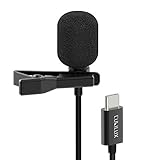
- [Driverless Plug & Play USB C Microphone] – No need for an extra power supply or driver, just snap the microphone and you can effortlessly record on the go and capture crystal sound with USB C smartphones, tablets or laptops.
- [Built-In ADC] – The built-in 48KHz/24-bit ADC ensures high-fidelity recording, resulting in a professional-grade sound with accurate detail and dynamic range.
- [Clear & Natural Sound] – Made with a high-sensitivity condenser, the Type C Microphone delivers a crystal-clean natural sound with ultra-low noise.
- [Multipurpose MIC] - Ideal for recording YouTube, TikTok, or Instagram videos, vlogging, livestreaming, singing, dictation etc.
- [Wide Compatibility] – Compatible with USB C and Thunderbolt 4/3 computers, and a wide range of USB C mobile devices, such as iPhone 17/16/15 series, iPad Pro 13/12.9/11, iPad Air 13/11, Galaxy S25/S24/S23 and Z Fold/Flip series, Galaxy Tab S11/S10/S9/S8, Pixel 10/9/8/7, and more.
On4t AI Voice Cover For Browser Experiments
On4t AI Voice Cover is a free web tool for uploaded audio or YouTube URLs, with voice previews and language, emotion, and pitch controls. Its details describe voice conversion and downloadable generated audio, not lyric-to-singing synthesis. The listed workflow is browser-based; phone-specific support is not stated. Check the vendor’s terms for rights and permissions related to the source recording and selected voice.
Applio And RVC WebUI For Model-Based Conversion
Applio offers real-time and uploaded-audio voice conversion, custom model training and blending, batch inference, exports, TTS, and CLI automation. It is free and listed for Windows, macOS, and Linux, including desktop and self-hosted use. Its conversion and TTS workflows depend on voice models, and some options may suit technical users.
Shopping ad

- Dual Plug, No Guesswork: One receiver covers both USB-C and Lightning phones, so it plugs into iPhone or Android and records right away - no adapter, no app, instant pairing.
- Works with Your Case On: The extended plug reaches past most phone cases, so you can film, teach or take a video call without ever taking the case off.
- Easy Automatic Connection: Plug in. Green light. Record. The mic and receiver link up on their own the moment you power them on - no Bluetooth menus, no setup screens, no waiting.
- Clear Voice, Less Noise: The omnidirectional mic catches every word, while the noise-reduction chip and windscreen keep wind and background hum out - your voice stays front and center.
- Stable Wireless Range & Long-Lasting Battery: Enjoy wireless audio that follows you across the studio while filming — no need to stay tethered to your phone. The rechargeable battery carries you from morning vlogs to evening livestreams, so you can focus on the content instead of watching the battery indicator.
RVC WebUI is a free, self-hosted toolkit with real-time and offline conversion, model training and fusion, pitch controls, retrieval, batch processing, and WAV, FLAC, MP3, and M4A exports. It requires local installation and hardware-specific dependencies. Neither product’s listed facts establish a dedicated Galaxy singing workflow; check the vendor or project instructions before choosing either for sung material.
How To Choose And Start From A Galaxy Phone
- Have lyrics or MIDI, but no recorded vocal? Compare LyricToMelody AI and ACE Studio for vocal drafts. Their listed platform requirements differ: web application versus Windows or macOS desktop.
- Have a score? Sinsy specifically takes MusicXML. CeVIO AI also lists MusicXML support, but requires Windows.
- Have a song whose voice you want to replace? VocalMe is explicitly listed for Android. On4t AI Voice Cover is listed for web; phone-browser compatibility is not stated.
- Want detailed control over a synthesized vocal? Synthesizer V Studio 2 Pro lists pitch, timing, pronunciation, timbre, and expression editing. ACE Studio lists vocal editing and MIDI-based generation.
- Want to use your own voice or another person’s voice? First confirm that you have permission to use the recording and voice. Then check the chosen platform’s terms for cloning, covers, publication, and commercial use; the terms vary, and several tools list voice- or use-specific conditions.
A practical starting workflow is to draft a short lyric and melody or prepare a clean recorded vocal, then choose the matching input path above. For a synthesis tool, use a simple test passage with clear syllables and a melody you can review; for a conversion tool, start with audio you are authorized to use. Keep the musical target explicit in your own notes—for example, “sung lead, restrained vibrato, clear consonants”—but do not assume a product accepts natural-language prompts: prompt support is not established for these entries. Check each vendor’s instructions for supported formats and controls.
Free tools Windows power users keep installed
One-click scans. No signup required.
Voice Consent And Usage Terms
Use only voices and recordings you have permission to use, and review the selected platform’s terms before making or sharing a clone, cover, or converted performance. The listed details establish some product-specific licensing conditions—such as paid-plan commercial rights for LyricToMelody AI, voice- and feature-specific exceptions for ACE Studio, and separate or additional voice licensing for CeVIO AI and HATSUNE MIKU NT—but do not settle every project’s permissions. Check the vendor’s current terms for your chosen voice, source recording, and intended use.
Quick Recap
Product prices and availability are accurate as of the date/time indicated and are subject to change. Any price and availability information displayed on Amazon at the time of purchase will apply.




