- Home
- Minecraft Shape Generators
- Astroworld Circle & Dome Generator

Astroworld Circle & Dome Generator
What it is
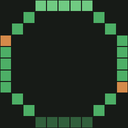
Astroworld Circle & Dome Generator makes pixel grids for planning Minecraft circles, filled circles, domes and sphere shells. Enter a whole-block diameter from 1 to 256 to see the selected shape and its total block count before building. Gold cells indicate where blocks go; dark cells show empty space. A layer slider lets you inspect dome and sphere-shell builds one layer at a time. The web page says it calculates block positions in the browser using the entered diameter. Large grids compress to fit the screen, and the page recommends working layer by layer for larger builds. You can embed the generator on a website or server wiki with an iframe and set its width, height and theme. The tool is an Astroworld product brought to users by Astroworld MC. It is free, with no sign-up or ads, and runs on the web.
For and against
For
- Supports four Minecraft shape types.
- Accepts diameters from 1 to 256 blocks.
- Shows block totals before building.
- Layer slider separates dome and shell views.
- Free to use without sign-up or ads.
Against
- Large grids compress to fit the screen.
- Large builds are recommended one layer at a time.
The verdict
The generator offers a focused way to map supported Minecraft shapes and check block counts before building. Its layer view and embed settings add practical options, while compressed large grids may take more step-by-step work.
Who it suits
It suits Minecraft builders planning structures such as towers, arenas, greenhouses, planetariums and spheres. It may also help server wiki or website owners who want to embed a build-planning grid.
Plans and prices
Free
No sign-up · no ads · diameter 1–256 blocks
Read 7 Oct 2026 · tools.astroworldmc.com
On the record
- 3D layers
- Dome and sphere-shell layers can be browsed separately with a layer slider.tools.astroworldmc.com · read 7 Oct 2026
- Block counts
- It displays the total number of blocks for the selected shape before building.tools.astroworldmc.com · read 7 Oct 2026
- Browser processing
- The page says each block position is worked out in the browser from the entered diameter.tools.astroworldmc.com · read 7 Oct 2026
- Company
- Astroworld’s about page names Stetrin B.V., registered in the Netherlands, as a company partly operating Astroworld.astroworldmc.com · read 7 Oct 2026
- Diameter range
- The generator accepts whole-block diameters from 1 to 256.tools.astroworldmc.com · read 7 Oct 2026
- Embed
- Users can embed the generator on their own site or server wiki using an iframe, with width, height and theme settings.tools.astroworldmc.com · read 7 Oct 2026
- Grid display
- Gold cells mark blocks to place and dark cells mark empty space; large grids compress to fit the screen.tools.astroworldmc.com · read 7 Oct 2026
- Intended users
- The tool is for Minecraft builders planning structures such as towers, arenas, greenhouses, planetariums and spheres.tools.astroworldmc.com · read 7 Oct 2026
- Maker
- The product page identifies the tool as an Astroworld product brought to users by Astroworld MC.tools.astroworldmc.com · read 7 Oct 2026
- Notable limit
- The page says grids compress past roughly 64 blocks and recommends working one layer at a time for large builds.tools.astroworldmc.com · read 7 Oct 2026
- Purpose
- Generates pixel grids for Minecraft circles, filled circles, domes and sphere shells.tools.astroworldmc.com · read 7 Oct 2026
- Support
- Astroworld’s about page lists Discord, staff applications, rules and a business contact email as ways to get involved or reach the organization.astroworldmc.com · read 7 Oct 2026
- Tool collection
- Astroworld’s tools page describes a collection of 31 Minecraft tools for building, configuring and managing servers, with no sign-up and no ads.tools.astroworldmc.com · read 7 Oct 2026