The Tool Desk
Outbyte PC Repair FREERepair Windows errors before they cause bigger problemsFix Now →Outbyte Driver Updater FREEFix the driver behind crashes, sound loss and screen glitchesFind Drivers →Samsung Mobile is reader-supported. When you buy through links on our site, we may earn an affiliate commission. As an Amazon Associate I earn from qualifying purchases. Learn more
Samsung Galaxy phones, like many modern smartphones, come equipped with hidden diagnostic tools. These tools are invaluable for testing various hardware components, identifying issues, and even verifying the authenticity of certain parts, especially if you’ve purchased a used device. This “secret diagnostic mode” is primarily accessed through a specific dialer code, a method commonly used in Android devices for accessing hidden menus. Understanding how to use this mode can save you time and potential repair costs.
What is Diagnostic Mode?
Diagnostic mode, often referred to as a “service menu” or “test mode,” is a built-in feature that allows users to perform various tests on a phone’s hardware and software components. Think of it as a quality control suite for your device. For Samsung Galaxy phones, this mode enables you to check everything from your screen’s touch sensitivity and color reproduction to the functionality of your sensors, camera, speaker, and even vibration motor. It’s a powerful tool for troubleshooting and verifying your phone’s health.
General shopping ads
Historically, these diagnostic modes were primarily used by technicians and manufacturers for quality assurance and repair. However, with the increasing complexity of smartphones and the rise of second-hand markets, these tools have become more accessible and useful for end-users.
Why Would You Use Diagnostic Mode?
There are several compelling reasons to use the diagnostic mode on your Samsung Galaxy phone:
Shopping ad
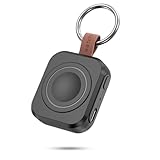
- Designed for Samsung Watch: This portable charger for Samsung Watch 8/8 Classic/7/ 7 Ultra / 6 /6 Classic / 5 / 5 Pro / 4 /3, Active 2 / Active 1 ensures seamless compatibility with new and old watches. This for Samsung galaxy watch charger can be carried around without a power source and can solve your low battery anxiety anytime.(Not for Galaxy Watch 9,Ultra 2)
- Easy Charging: Simply place the watch in the center of the charging area and press the power button to start charging immediately. The built-in magnets hold the watch in place, ensuring that the charging contacts are perfectly aligned for efficient charging. Once charging is complete, the portable galaxy watch charger can be turned off by pressing the power button twice; if no manual operation is required, the galaxy watch will automatically power off after 30s of inactivity.
- 1200mAh Battery: The portable watch charger has a built-in 1200mAh battery that can charge your watch 1-2 times. Ideal goods for traveling, exercising or extended outdoor activities.
- Compact and Portable: The 1200mAh galaxy watch ultra charger measures 5 x 4.6 x 1.5 cm (2*1.8*0.6 in), which is small enough to fit in a pocket or small purse. The watch charger comes with a keychain and eliminates the need for a charging cable, making it perfect for traveling and carrying.
- Package Includes: 1*Portable charger for samsung galaxy watch, 1*USB-C Charging Cable (1 meter), 1*Instruction Manual. It is very suitable as a Christmas gift, New Year's gift, Valentine's Day gift, Mother's Day gift, Father's Day gift, etc. to give to family and friends on special days.
As an Amazon Associate I earn from qualifying purchases.
- Troubleshooting Hardware Issues: If you suspect a problem with your screen, camera, speaker, or any other hardware component, this mode allows you to pinpoint the exact issue. For example, if your screen isn’t responding in a specific area, the touch screen test can confirm it.
- Buying a Used Phone: This is arguably one of the most crucial uses. Before purchasing a second-hand Samsung Galaxy, running through these tests can help you verify that all components are functioning correctly. This can prevent you from buying a device with hidden defects.
- Verifying Repairs: If your phone has undergone a repair, you can use the diagnostic mode to confirm that the repaired or replaced parts are working as they should.
- General Health Check: Even without a specific issue, periodically running these tests can give you a good overview of your phone’s overall health.
How to Access the Secret Diagnostic Mode
Accessing the diagnostic mode on most Samsung Galaxy phones is straightforward and involves using a specific dialer code. This method is consistent across many Android devices and is a legacy feature from older phone operating systems.
Step 1: Open the Phone Dialer App Locate and tap on the Phone or Dialer app icon on your Samsung Galaxy’s home screen or app drawer. This is the app you use to make phone calls.
Step 2: Enter the Secret Code Once the dialer app is open, type the following code:
Shopping ad

- Small & Powerful: With 25W charging power but smaller size, this Vilive Samsung charger fast charging cord is more convenient and portable. Equipped with a type c port, you can charge your device back to full power in no time by using the 25W USB C fast charger for Samsung Galaxy S26 S25 series. It takes about 1 hour to fully charge your Samsung Galaxy S26 ultra, S25 ultra, S24 ultra, S23 ultra, 3 times as fast as standard PC USB-C charger.
- Universal Compatibility: The Vilive samsung fast charger supports most of usb c devices, including Samsung Galaxy S26 Ultra/S26/S26+/S25 Ultra/S25+/S25/S24 Ultra/S24/S24+/S23 Ultra/S23/S23+/S21/ S21+/ S21 Ultra/ S22/S22+/S22 Ultra, S20/S20+/S20 Ultra/ S20, Note10/Note 20. It also charge for iPhone/Duo/ iPhone 18 Pro Max/iPhone 18 Pro/iPhone 17/iPhone 17 Pro Max/iPhone 17/16/15. Please be noted that "fast charging" is not suitable for S8/S9/S10, Galaxy Z Fold 5/Galaxy Z Flip 5/Z Flip/Z Flip3/Z Flip3 5G/Galaxy Z Fold2/Z Fold3.
- Vilive 10FT Type C Charger Fast Charging: The 25W android phone charger fast charging is equipped with extra longer 10FT(about 3 meters long) USB C fast charger cable, offering a user-friendly reversible design and longer charging distance, fast charging and up to 480 Mbps data transfer speed. The power output up to 3 Amp and 100-240 volt input of this 2pack Samsung fast chargers can charge two devices simultaneously, ideal for worldwide travel with your partner!
- Safety Assurance: The Vilive Samsung galaxy S26 S25 S24 S23 ultra super fast charger is built in intelligent chips, which can protect your devices against damage caused by short circuit, over-current, over-voltage, over-heating, and over-charging issues. Automatically stops charging when battery capacity is full to ensure your device safety and longevity.
- What's in Package: 2x 25W Vilive USB C fast charger blocks and 2x extra long 10FT(about 3 meters long) USB C fast charging cables.
*#0*#
Important Note: You do not need to press the call button after typing the code. The diagnostic menu should appear automatically as soon as you type the final #.
Step 3: Navigate the Diagnostic Menu After entering the code, a new screen will appear. This is the diagnostic menu (also known as the service menu or test mode). You’ll see a grid of various test options, each designed to check a specific component of your phone.
Common Diagnostic Tests and Their Functions
The diagnostic menu typically presents a range of options. Here are some of the most common and useful tests you’ll find:
Recommended Free Tools
Shopping ad

- Dimmable Digital Clock - The Samsung charging station features a unique digital clock with customizable 12/24 hour formats and four adjustable brightness levels(High/Medium/Low/Off). Touch the clock display to adjust brightness. Time is saved even after power disconnection – no need to reset after unplugging. Note: No alarm function.
- Space-Saving Design - This thoughtfully designed 3-in-1 charging station with a clock eliminates excess charging cables and desktop clocks. With just one device, you can charge multiple devices simultaneously and check the time without needing to unlock your phone.
- Wide Compatibility - The watch charging area is specifically designed for Samsung Galaxy Watch Ultra/8/8 Classic/7/6/6 Classic/5/5 Pro/4/4 Classic/3/Active 1/2. The phone and earbud charging areas support all wireless charging phones and earbuds, compatible with S26 Ultra/S26+/S26/S25 Ultra/S25+/S25/S24 Ultra/S24+/S24/S23/S22/S10/Note 20/Z Flip7/Z Fold6 and iPhone 17 series, as well as Galaxy Buds series. (Note: Not for Apple Watch)
- Multiple Charging Protections - This wireless charger is made from fire-resistant materials and features multiple heat dissipation holes to aid cooling. It also includes over-voltage protection, over-current protection, overload protection, and foreign object detection for safe charging.
- Perfect for Nightstand, Office Desk, or Travel – Compact design fits any space. Place it on your bedside table for overnight charging, on your office desk for all-day power, or pack it in your bag for business trips. Clean LED indicator light is not distracting in dark rooms.
- Red, Green, Blue (RGB): These tests display a full screen of each primary color. This helps you check for dead pixels, screen uniformity, and color accuracy.
- Receiver: Tests the earpiece speaker, useful for checking call audio.
- Vibration: Activates the vibration motor to ensure it’s functioning properly.
- Dimming: Checks the display’s brightness levels and how it adjusts.
- Mega Cam / Front Cam: Allows you to test the rear and front cameras, including their focus and picture-taking capabilities.
- Sensor: This is a crucial test. It allows you to check various sensors like the accelerometer, gyroscope, proximity sensor, barometer, and light sensor. You can often see real-time data from these sensors. For example, the proximity sensor test will usually show a change when you cover the sensor near the earpiece.
- Touch: This is an interactive test where you draw on the screen to ensure all areas of the touch display are responsive. It’s excellent for identifying “dead spots” on your screen.
- Speaker: Plays a sound through the main loudspeaker to check its functionality.
- Sub Key: Tests the physical buttons on your phone (volume up/down, power button, and sometimes the Bixby button if applicable) to ensure they are responding correctly.
- LED: Checks the functionality of the notification LED, if your phone has one.
- MST Test: (Magnetic Secure Transmission Test) Relevant for some Samsung Pay features, this checks the MST antenna.
- Low Frequency: Tests the phone’s ability to produce low-frequency sounds.
How to Exit Diagnostic Mode: To exit the diagnostic menu, you typically need to press the back button repeatedly until you return to the dialer app, or simply press the home button.
Troubleshooting Tips
- Code Not Working: Ensure you’ve typed the code exactly as *#0*# and haven’t pressed the call button. If it still doesn’t work, ensure your phone is a genuine Samsung Galaxy device. Some carrier-locked phones or custom ROMs might disable this feature.
- Limited Options: The available tests can vary slightly depending on your specific Samsung Galaxy model and the Android version it’s running. Newer phones might have more advanced tests, while older models might have fewer.
- No Damage Caused: Using this diagnostic mode will not harm your phone or alter its settings permanently. It’s a read-only testing environment.
Other Diagnostic Tools and Methods
While the *#0*# code is the primary method for accessing the secret diagnostic mode, there are other ways to check your phone’s health and gather information:
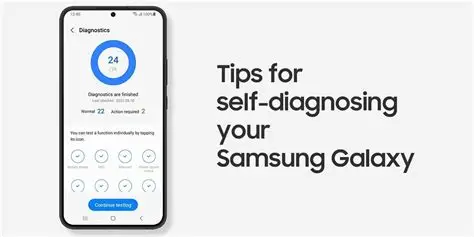
- Samsung Members App: This official Samsung app often includes a “Diagnostics” or “Get Help” section where you can run automated tests on various hardware components. This is a more user-friendly interface compared to the dialer code menu.
- Third-Party Diagnostic Apps: The Google Play Store offers numerous third-party apps that claim to test phone hardware. While some can be useful, exercise caution and only download apps from reputable developers. Always check reviews and permissions before installing.
- Android’s Developer Options: While not a direct diagnostic mode, enabling Developer Options (by tapping the build number seven times in “About Phone” settings) unlocks advanced settings, including USB debugging and performance monitoring tools, which can indirectly help with troubleshooting.
By familiarizing yourself with these diagnostic tools, you empower yourself to better understand and maintain your Samsung Galaxy phone, ensuring its optimal performance and longevity.
Shopping ad

- Find your things with ease: The SmartThings Find app uses Bluetooth and ultra-wideband (UWB) technology to locate and keep track of your stuff
- Water and Dust Resistant: IP67 rating offers protection against dust and water immersion between 15 cm and 1 meter for up to 30 minutes
- Compatible with Galaxy Devices Only
FAQ Section
Q1: Is it safe to use the diagnostic mode on my Samsung Galaxy phone?
Yes, it is completely safe. The diagnostic mode is a read-only environment and does not allow you to make changes to your phone’s software or settings that could cause harm. It’s designed for testing purposes.
Q2: Why isn’t the *#0*# code working on my Samsung phone?
Shopping ad

- REDESIGNED TO DO MORE: The redesigned Galaxy SmartTag2 is made so you can keep calm and keep track; Its design makes it easy for you to tag and carry your belongings
- EASY TO USE: It's IP67-rated water- and dust-resistant, activates your compatible IoT devices and stays powered for up to 500 days or even up to 40% more on Non-Power Saving Mode
- RELAX, YOU'VE GOT IT TAGGED: Simply register a new Galaxy SmartTag2 and get started right away with SmartThings Find; With its intuitive tracking experience, you now have a way to keep track of things you love right in the palm of your hand
- SEARCH NEAR WHEN IT'S NOT FAR: Lose something. Switch on Search Nearby and get guided instructions to your item's location via Compass View; If you still don't see it, just ring your Galaxy SmartTag2 to have it send out an audible signal
- Type of battery needed: replaceable CR2032 1 ea Lithium battery (not included)
There could be a few reasons: 1. Ensure you’ve typed the code correctly and haven’t pressed the call button. 2. Some carrier-locked phones or devices with highly customized Android versions might have this feature disabled by the carrier. 3. It’s possible your device is not a genuine Samsung Galaxy phone or is a very old model where this specific code might not apply.
Q3: Can diagnostic mode fix issues on my phone?
No, diagnostic mode cannot “fix” issues. It is a tool for identifying and diagnosing problems. Once you’ve identified a faulty component using the diagnostic tests, you’ll need to take appropriate action, such as seeking repair or replacing the part.
Q4: Are there other secret codes for Samsung Galaxy phones?
Yes, there are many “secret codes” (also known as MMI codes – Man-Machine Interface codes) for Android phones, including Samsung. These codes can access various hidden menus for network information, battery status, firmware versions, and more. However, the *#0*# code is specifically for hardware diagnostics. Be cautious when using other codes, as some might access sensitive settings.
Q5: What should I do if a test fails in diagnostic mode?
If a specific test fails (e.g., the touch screen test shows unresponsive areas, or a camera test doesn’t work), it indicates a potential hardware issue with that component. * If your phone is under warranty, contact Samsung support or your carrier for repair. * If it’s an older phone, consider professional repair or replacement of the device. * If you’re buying a used phone, a failed test is a strong red flag to avoid that particular device.
Free tools Windows power users keep installed
One-click scans. No signup required.
More shopping ads
Product prices and availability are accurate as of the date/time indicated and are subject to change. Any price and availability information displayed on Amazon at the time of purchase will apply.
Independent reader supportYour contribution helps us test, update, and keep practical guides available for everyone.