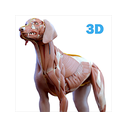
Anatomy teaching and study platform that runs on Android, iOS, macOS, web and Windows.
Free plan Free trial From $74.50 a year AndroidiPhone & iPadWebWindowsMac
Anatomy learning software uses tools such as 3D models, dissection views, quizzes and guided courses to support study. This list helps students and professionals compare anatomy tools by content focus and access options.
Entries are ordered by the site's current list rules. Compare free plans, paid starting prices, trials, platform support and the learning features published for each tool.
Anatomy teaching and study platform that runs on Android, iOS, macOS, web and Windows.
3D canine anatomy guide with more than 1,200 parts across major body systems.
AndroidiPhone & iPadWindows+13D anatomy atlas covering muscles, bones, vessels, nerves and internal organs.
AndroidiPhone & iPadWindows+13D canine study app with virtual dissection controls and adaptive quizzes.
iPhone & iPadWindowsMac3D human anatomy atlas and study tool with search, dissection layers and Latin pronunciation.
iPhone & iPadMacAnatomy learning library with doctor-reviewed articles, interactive 3D models and a question bank.
Interactive 3D human anatomy atlas covering nine systems with rotate, isolate and layer tools.
Anato suits people preparing for USMLE Step 1, Step 2 CK, or Step 3 who want question practice alongside anatomy study.
Kenhub is suited to medical students and professionals studying human anatomy and related subjects.
It suits learners and educators exploring human or veterinary anatomy, especially those comfortable working in Blender.
Interactive 3D veterinary anatomy platform with layered models, quizzes and articles for several species.
Anatomyka suits anatomy learners and professionals who want interactive 3D human anatomy across desktop and mobile devices.
Interactive 3D atlas for finding, isolating and inspecting body structures with AI answers.
Mobile anatomy quiz game covering human anatomy, pathology and physiology across 24 body areas.
Interactive 3D platform for visualizing human anatomy, diseases and treatments.
Veterinary anatomy atlas using medical imaging and illustrations for several animal species.
Web veterinary anatomy platform with specimen-based 3D models, testing modes and customizable flashcards.
3D anatomy reference app for Android, iOS and macOS with over 4,100 structures and system quizzes.
Interactive anatomy and life-science library for Android, iOS and web with 24,000-plus assets and quizzes.
Interactive 3D anatomy software that turns MRI and CT scans into virtual dissections and lessons.
A paid web anatomy platform with 400+ scans of real human specimens, annotations and 3D isolation tools.
Open web anatomy education platform with learning paths, practice questions, quizzes and varied question types.
Web live-response tool for slide-integrated polling with anonymous responses.
Check whether a tool includes 3D models, dissection views, quiz mode or guided courses. These features support different ways to review structures and test recall.
Content focus also matters. Look for software that covers the anatomy subject you need to study.
Platform support spans web, iOS, Android, macOS, Windows and Linux. Choose software that works on the devices you plan to use.
Mobile access can matter when you study away from a computer, while web access can simplify use across supported computers.
Review the listed pricing model before you commit. A tool may have a free plan, a free trial or a paid starting price.
Paid-from figures use the pricing notes published for the software. Check the plan terms before purchase because the listed starting price may depend on a billing period or user basis.
Use the content-focus field to compare what a tool is designed to teach. Pair that focus with the available models, views, quizzes and courses.
If you need to study on a phone or tablet, confirm mobile access along with the platform support shown for the tool.